Cells in a Range on an Excel Sheet
A cell (r, c) of an excel sheet is represented as a string "<col><row>" where: You are given a string s in the format "<col1><row1>:<col2><row2>", where <col1> represents the...
A cell (r, c) of an excel sheet is represented as a string "<col><row>" where:
You are given a string s in the format "<col1><row1>:<col2><row2>", where <col1> represents the column c1, <row1> represents the row r1, <col2> represents the column c2, and <row2> represents the row r2, such that r1 <= r2 and c1 <= c2.
Return the list of cells (x, y) such that r1 <= x <= r2 and c1 <= y <= c2. The cells should be represented as strings in the format mentioned above and be sorted in non-decreasing order first by columns and then by rows.
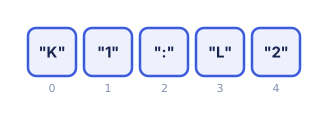
Example 1
Input: s = "K1:L2"
Output: ["K1","K2","L1","L2"]
Explanation: The above diagram shows the cells which should be present in the list. The red arrows denote the order in which the cells should be presented.
Example 2
Input: s = "A1:F1"
Output: ["A1","B1","C1","D1","E1","F1"]
Explanation: The above diagram shows the cells which should be present in the list. The red arrow denotes the order in which the cells should be presented.
Constraints
- s.length == 5
- 'A' <= s[0] <= s[3] <= 'Z'
- '1' <= s[1] <= s[4] <= '9'
- s consists of uppercase English letters, digits and ':'.
Hints
Companies
No companies reported yet.
Discussion
Sign in to join the discussion.
Loading discussion...
Test results
No test cases yet.